


Setting Header and Footer
The dialog window allows us to define properties of the document header and footer. The "print header (footer)" checkbox determines whether to print the document header (footer).
Header and footer lines may contain an arbitrary text and inserted objects implicitly defined by the program. These objects receive program information such as:
- From the "Company data" dialog window (company name, logo, address)
- From the "Project" frame
- From the document system data (date, time, page numbering)
Objects can be input using the "Insert" button (the button opens a list of objects). The button is active only if the cursor is in one of the lines that allow us to insert a text (object). Inserted objects are written in an internal format different from the other text and placed in curly brackets.
The program allows us to define various headers for the first page or odd and even pages, respectively. Individual headers are in such a case defined in separate tabs.
The "Default" button:
- Selection "Save settings as default" saves the content of the window as default for any new tasks. The default is valid for all GEO5 programs. Different computer users may have different defaults.
- - Selection "Adopt default settings" adopts the default settings to any opened task, which has the different settings.
Writing format and the resulting view are evident from the following pictures.
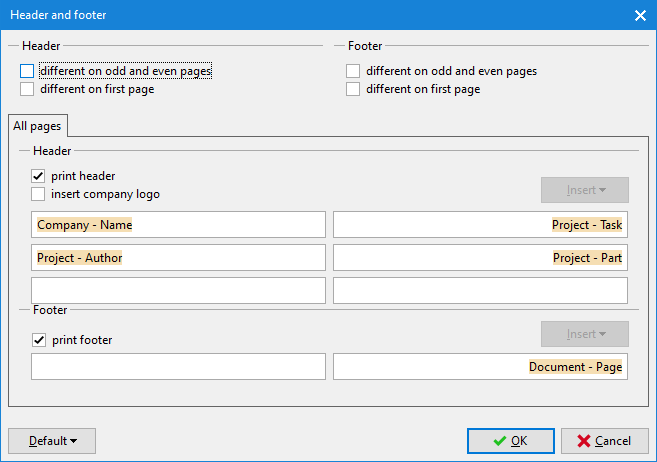 "Header and footer" Dialog window
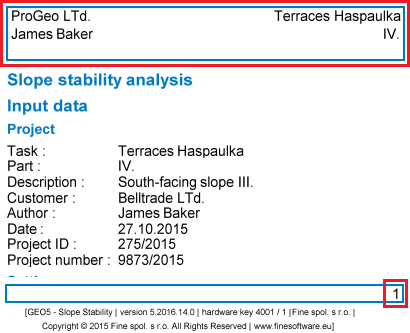 View of the document header and footer