


Monitors
The frame "Monitors" contains a table with the list of input monitors. Adding monitors is performed in the "New monitors" dialog window. Either point or line-monitors can be introduced. The dialog window then serves to specify coordinates of the monitor and monitor activity.
The monitors can also be edited on the desktop with the help of active objects.
The program allows for inputting an arbitrary number of points and line-monitors anywhere in the structure and also out of it. Monitors have several functions:
- displaying values of variables in a given point (point-monitor),
- displaying values of the difference of distance of two points in comparison with the previous stage d[N] or in comparison with the input stage, where N is the stage number (line-monitor).
The point monitors store also the values of variables recorded during the analysis in individual stages. These can be written into an output protocol or used to create graphs.
The list of variables plotted for individual monitors is set in the "Monitor settings" dialog window. To open the window use the "Settings" button in the horizontal toolbar "Monitors".
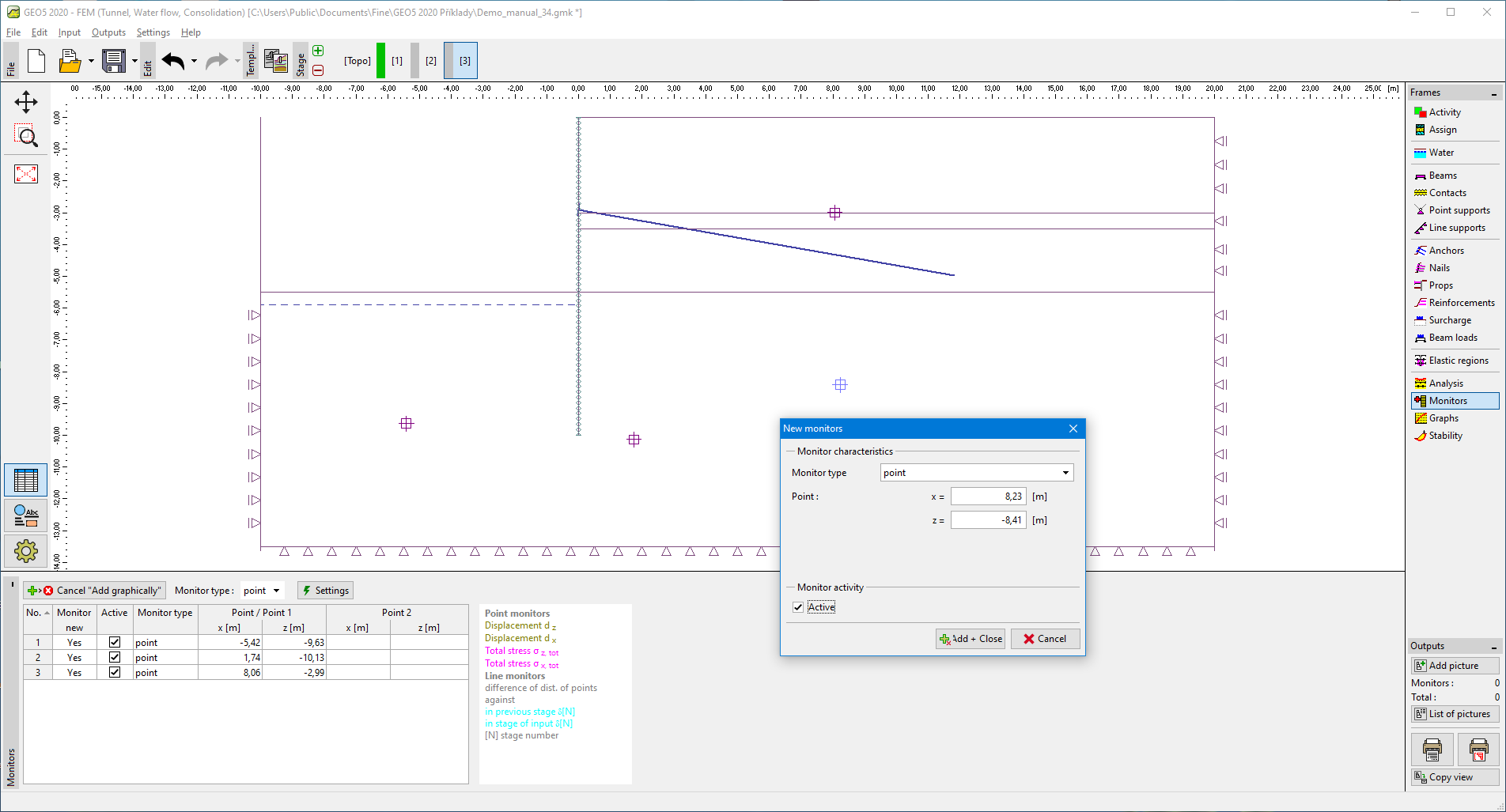 Frame "Monitors"