


Dialog Windows
A dialog window is one of the elements that allows inputing data into the program. In all GEO5 programs, dialog windows apply to conventional windows management typical for the Windows environment. A left mouse button is used when selecting objects in the window or alternatively the "Tab" function key when using the keyboard. When moving inside an object (for example input field) use the arrow buttons and the "ENTER" key.
A dialog window can contain the following items: table, combo list, fields for inputting data (number, text) and command buttons. The "OK" command button confirms the selection, while the "Cancel" button leaves the input mode.
Providing the window contains a certain non-typical control element (or this element has some other than typical effect) its function is described in the corresponding data input regime.
As an example consider the following picture showing the "Edit surcharge" dialog window that contains the "OK+ " and "OK+
 " buttons. These buttons allow the user to move within the list of input surcharges and at the same time to confirm changes made in the window.
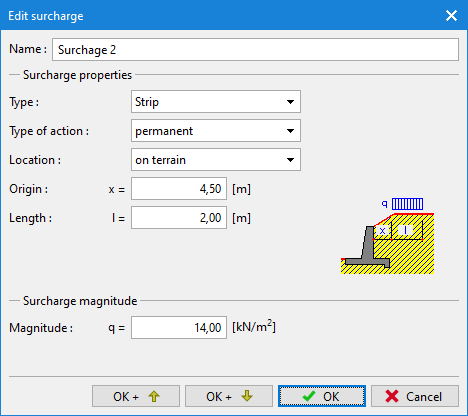 Example of a Dialog window