On-line contextual Help

/

Gravity Wall 

GEO5

Geotechnical software

« Back to Help

Frames

The frame is a permanently opened window in the bottom part of the application window. Frames are changed depending on the input data regime of a given task selected from the vertical control bar. The frame may contain the following items: table, combo list, fields for inputting data (h1, h2….) and command buttons.

The function key "Tab" together with cursor arrows for moving within the selected element (e.g., combo list) and in case of command buttons the corresponding underlined letter ("Add" – "A") are employed when selecting the data using the keyboard.

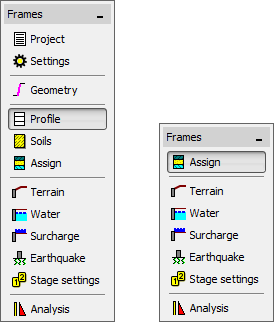
Frame control elementsFrame control elements

The frame can be minimized using the button in the left upper corner. In this case the frame space is taken by the drawing space. In some cases it is more advantageous to exploit the frame space for increasing the drawing space, which is possible owing to the fact that the program uses the system of active dimensions and active objects so that the frame does not have to be displayed all the time.

Returning the frame to its original face is performed by pressing the button in the left bottom corner of the desktop showing the frame name. Providing the frame is minimized, e.g. in the regime "Water" it remains hidden even when switching to other input data regime.

Frame control elementsFrame control elements


Language: english