


Bearing Capacity
The "Bearing capacity" frame displays the results from the analysis of foundation soil bearing capacity. The stress in the footing bottom (assumed constant) is derived from all verifications performed in the frame "Verification". The programs "Spread footing", "Spread footing CPT", "Pile" and "Pile group" then consider all verifications as load cases. In the program "Pile CPT", just normal load is used.
The frame contains the following analysis options:
| The foundation soil bearing capacity is input. The eccentricity and bearing capacity analysis results are displayed in the right part of the frame. The "In detail" button opens a dialog window that displays a detailed listing of the results. |
| Pressing the "Run program Spread footing" button opens the program "Spread footing" which allows us to calculate the soil bearing capacity or settlement and rotation of the footing. Pressing the "OK" button leaves the analysis mode - the results and all plots are transferred into the program "Prefab wall". The "Spread footing" program must be installed for the button to be active. The overall length of the wall foundation is input. |
| The procedure is identical as if calculating soil bearing capacity by the "Spread footing" program. |
| The procedure is identical as if calculating soil bearing capacity by the "Spread footing" program. The "Run program Pile" is available if the wall has a pile foundation (frame "Foundation"). Pile spacing s is input. |
| The procedure is identical as if calculating soil bearing capacity by the "Pile" program. |
| The procedure is identical as if calculating soil bearing capacity by the "Spread footing" program. The "Run program Pile group" is available if the wall has pile foundation with more then one pile (frame "Foundation"). Pile spacing s, the overall number of pile rows n and loading length l are input. |
| The foundation soil bearing capacity is not calculated. |
The program allows us to specify a shape of stress in the footing bottom.
Visualization of results can be adjusted in the frame "Drawing Settings".
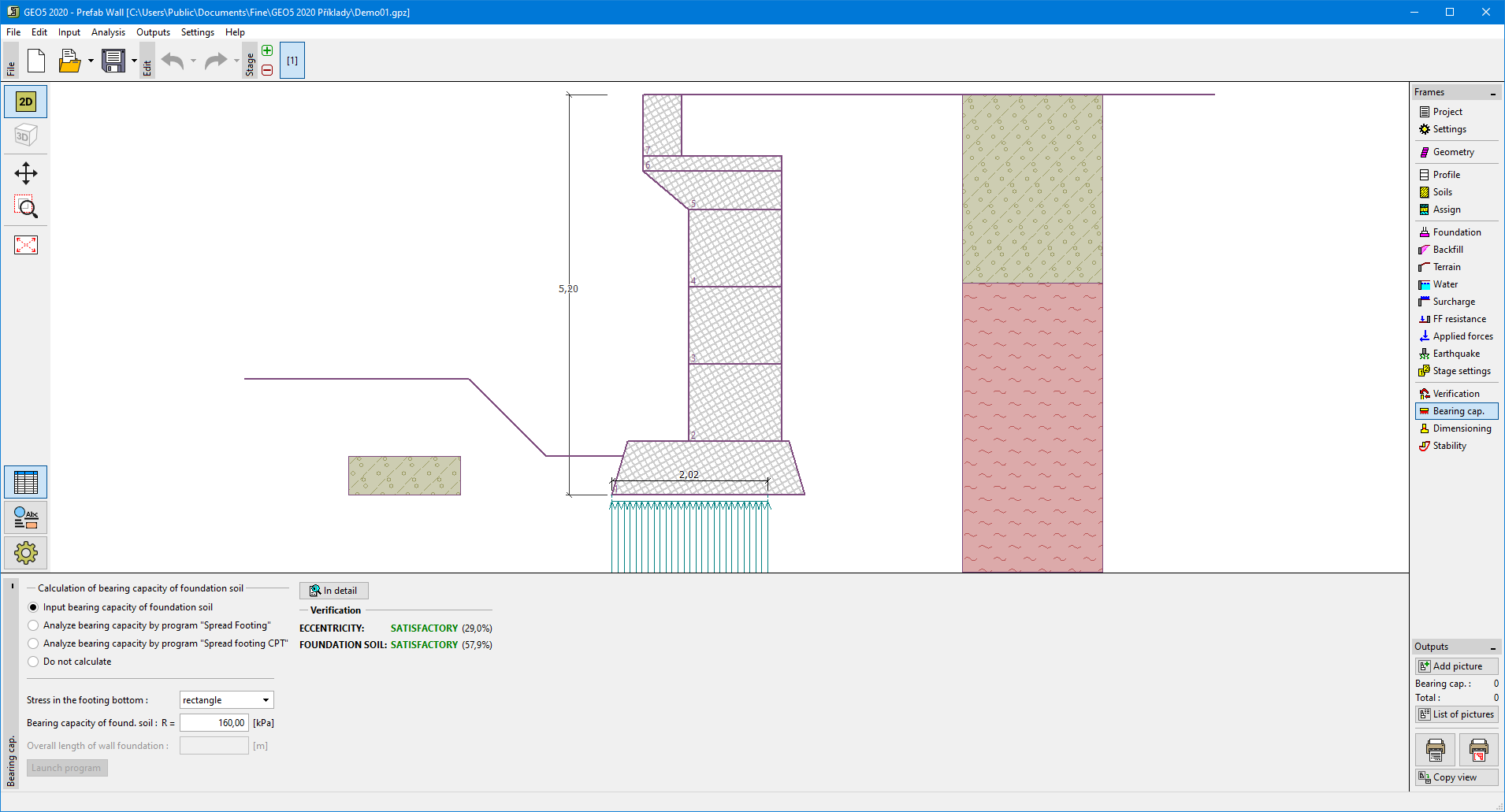 Frame "Bearing capacity"