


Dimensioning
The "Dimensioning" frame allows us to verify joints between individual blocks of a wall. The "Joint above block No." field serves to select the desired joint subjected to verification analysis. The verification against overturning and translation is performed in the same way as for the entire wall - friction between blocks and cohesion of a block material is input in the "Geometry" frame.
The frame appearance is adjusted based on the selected verification methodology.
- Verification according to the factor of safety or the theory of limit states - the last column in the table allows for inputting the design coefficients, which multiply the calculated forces. These forces are displayed on the desktop and are updated for every change of data and setting in the frame.
- Analysis according to EN 1997 - the last column in the table allows for specifying whether the load acting on a structure is considered as the secondary one. This is explained in more detail in section "Load combinations".
- Analysis according to LRFD or SIA 267 - in this case, the last column is not displayed.
Several computations for various cross-sections can be carried out. Various design coefficients of individual forces can also be specified. The resulting forces are displayed on the desktop and are updated with an arbitrary change in data or setting specified in the frame. The "In detail" button opens the dialog window that contains a detailed listing of the dimensioning results.
Visualization of results can be adjusted in the frame "Drawing Settings".
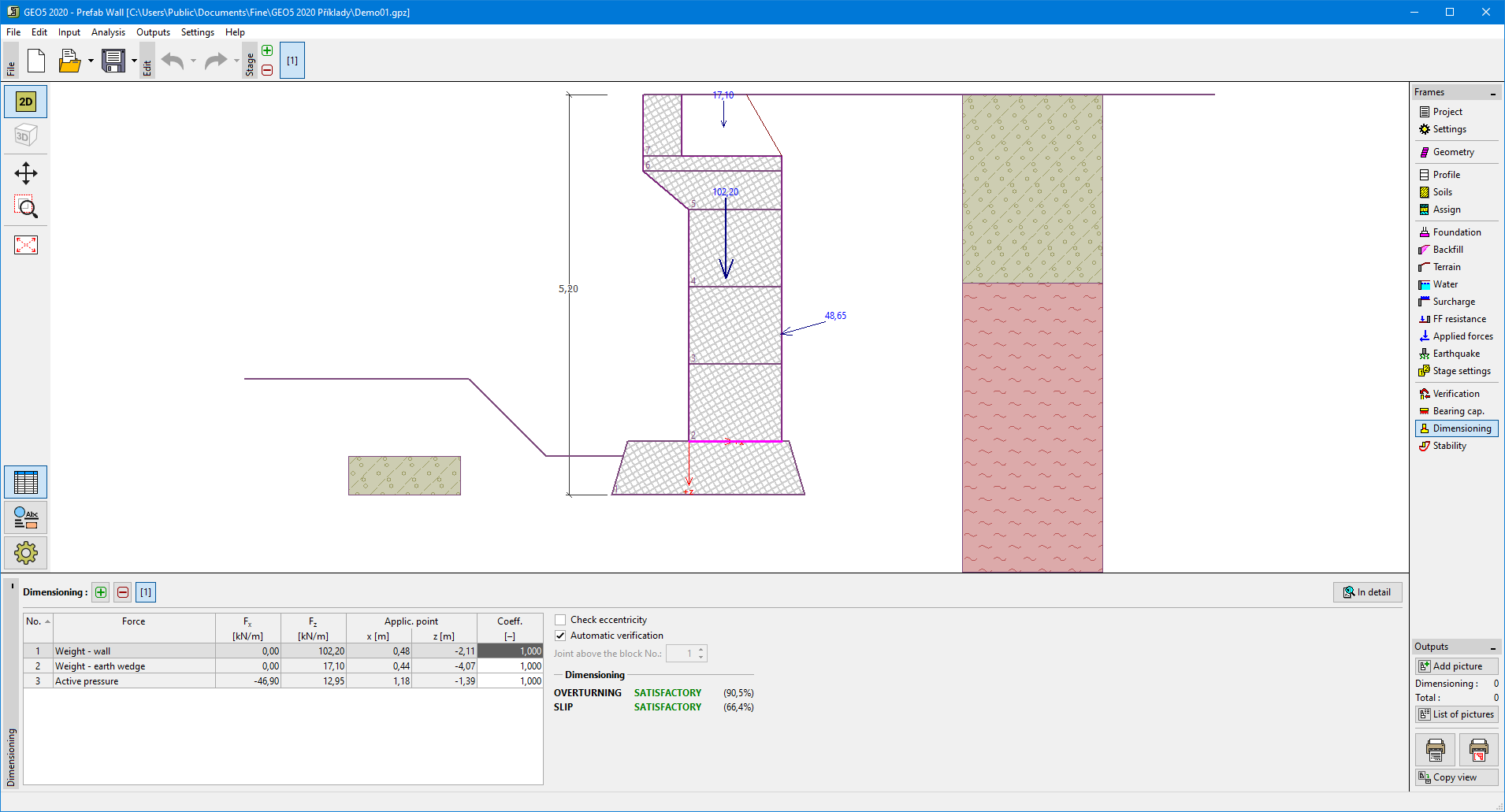 "Dimensioning" frame