On-line contextual Help

/

Prefab Wall 

GEO5

Geotechnical software

« Back to Help

Tool bar 3D visualization

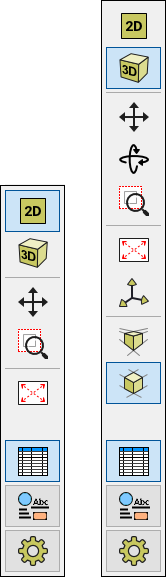
The following buttons are available in the tool bar:

Tool bar "3D visualization" Tool bar "3D visualization"

Individual buttons have the following functions:

Lighting direction
  • Opens the dialog window, which allows us to set the lighting direction
Axonometric view
  • Sets the axonometric view of drawing
Perspective view
  • Sets the perspective view of drawing
3D view
  • Sets the predefined 3D view of drawing
View along the X-axis
  • Sets the view in the direction of the X-axis
View in opposite direction to X-axis
  • Sets the view in the direction opposite to the X-axis
View along the Y-axis
  • Sets the view in the direction of the Y-axis
View in opposite direction to Y-axis
  • Sets the view in the direction opposite to the Y-axis
View along the Z-axis
  • Sets the view in the direction of the Z-axis
View in opposite direction to Z-axis
  • Sets the view in the direction opposite to the Z-axis
Moves the displayed cut
  • Moves the displayed cut in an arbitrary direction – to move the drawing slide the mouse while pressing the left mouse button
Rotates the scene
  • Rotates the displayed drawing in an arbitrary direction – to move the drawing slide the mouse while pressing the left mouse button
Automatic scene rotation
  • Turns on an automatic rotation of drawing according to the last used rotation (use the "Rotate scene" button)


Language: english