


Geometry
The "Geometry" frame contains a table with a list of input structural precast units (blocks) of a wall (the lowest block is labeled as No. 1). Adding blocks is performed in the "New block" dialog window.
A group of blocks that is defined by a number of blocks and setbacks between them.
The program allows us to add (insert) another group between two already existing blocks of a structure. Inserting a new group is performed in the "Insert" dialog window that complies with the "Add" dialog window. The inserted block is ordered such to proceed the currently selected block of a structure.
The program allows us to export the geometry of a structure in the *.DXF format.
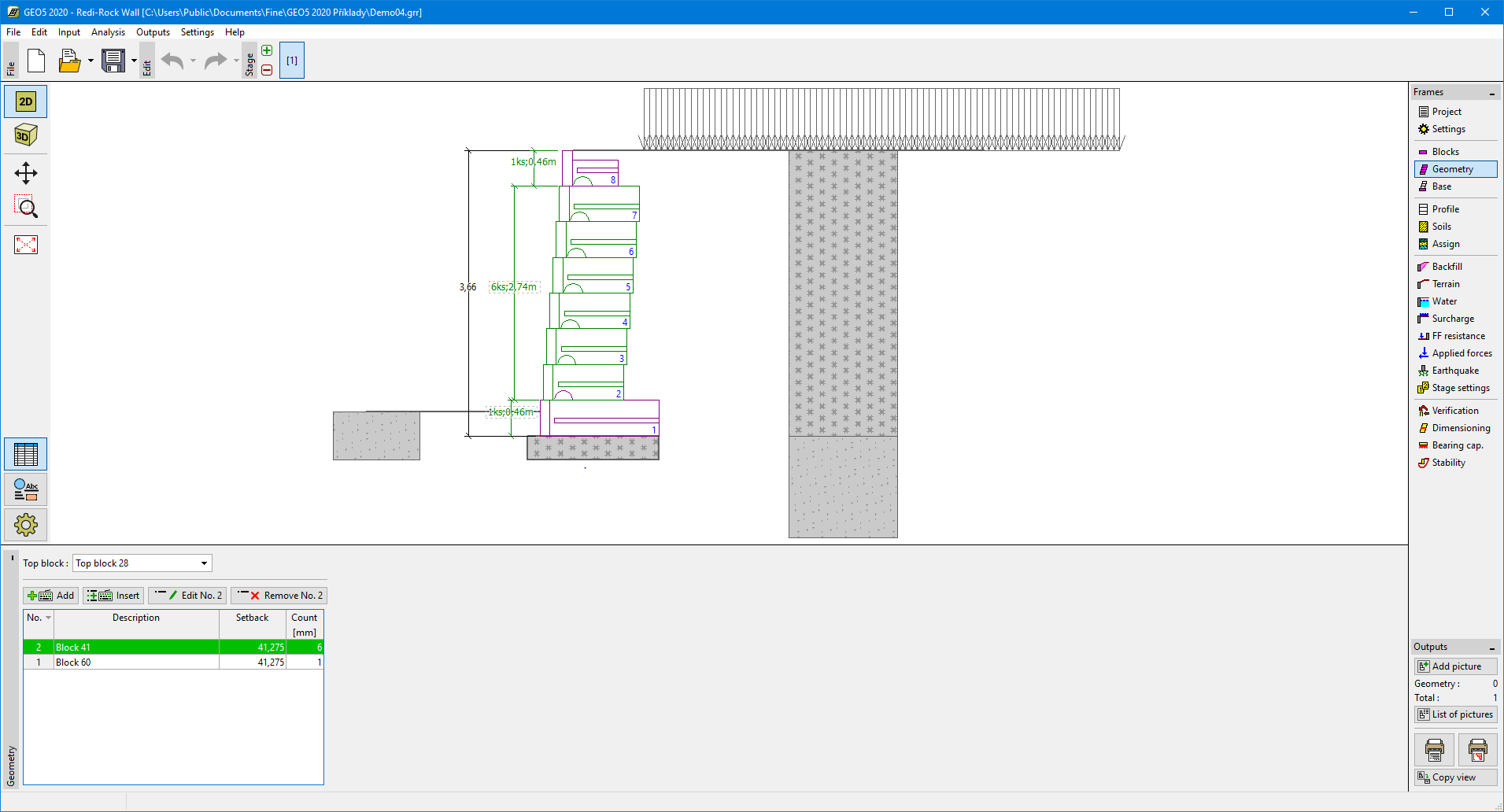 Frame "Geometry"