


Slip Surface - Polygonal
The frame "Slip surface" contains a table with a list of defined sections of a slip surface. Adding section is performed in the "New section" dialog window. These sections can also be edited on the desktop with the help of active objects.
The coordinates of the slip surface origin - a point on the slip surface followed by other sections - are entered in the upper part of the frame. This point can be found even out of the soil body - the program then automatically calculates the intersection of slip surface with the terrain.
Individual sections of the slip surface can be defined by their dip, by the overall length of the section, by the horizontal length and height of a section of a rock slope. Only two selected values are used while the others are determined by the program automatically (if more than two entry fields are checked than the input and computation are not carried out). Both vertical and horizontal sections, as well as overhangs, can be represented.
In case of a proper input, the program automatically plots the defined section on the desktop using a dashed line so that before accepting it, it is possible to check whether the section is correctly defined.
General assumptions for the calculation of the polygonal slip surface are listed here.
The program makes it possible to export the geometry of a structure in the *.DXF format.
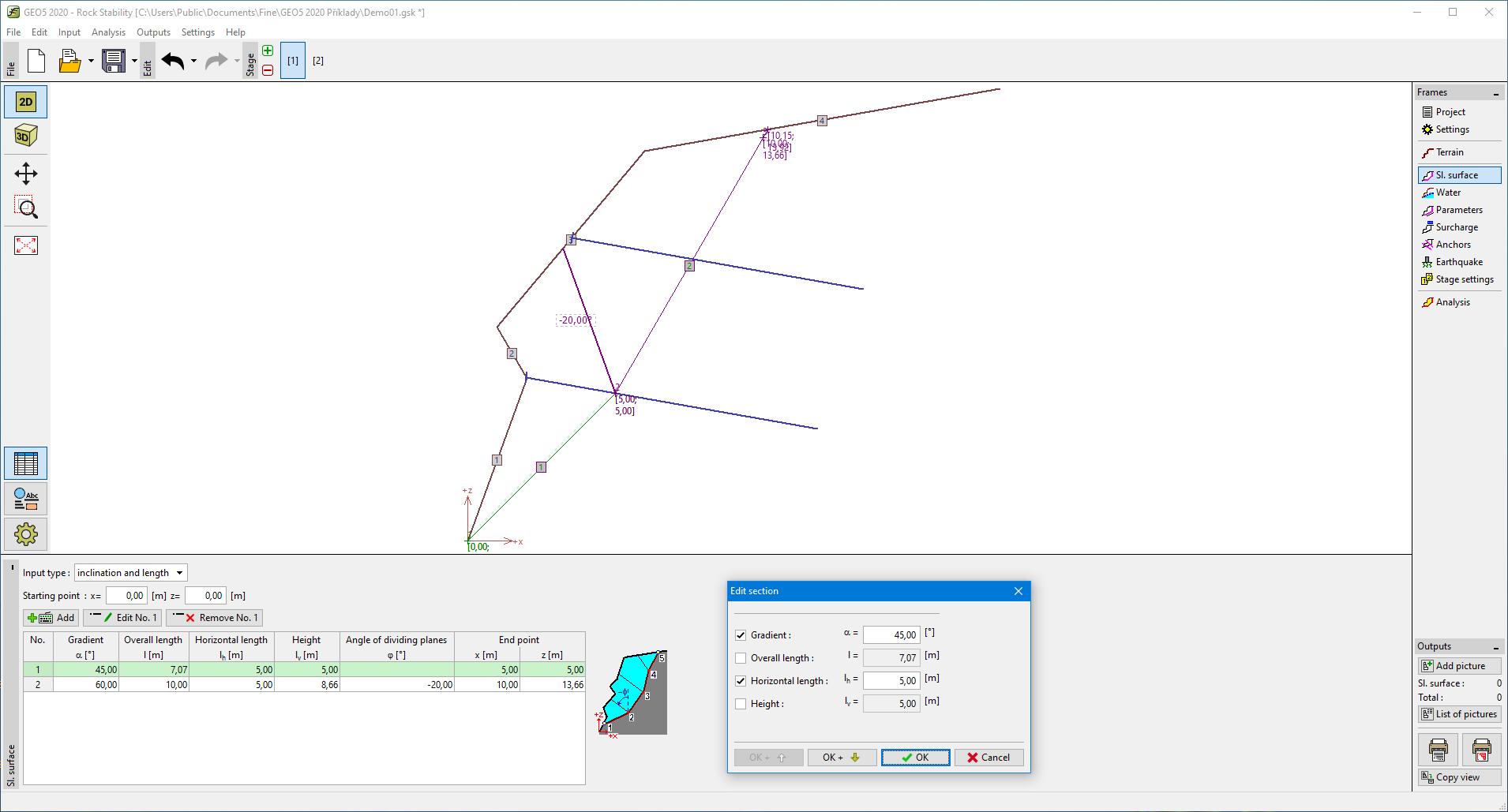 Frame "Slip surface - polygonal"