


Saved Views
The programs offer a number of ways of displaying results. A specific option can be selected from the "Drawing Settings : Analysis" frame. Quite often, it is necessary to go through complex and tedious settings of views - for example, if we are interested in the distribution of internal forces developed in beams using FEM, it is necessary to turn off the color range, draw only undeformed structure, select a variable to be displayed, select a suitable magnification, etc.
To simplify the way of managing individual views the programs allow us to store the current view using the "Saved views" bar, and also to go from one view to another in a relatively simple way.
The stored view keeps:
- All settings from the "Drawing Settings : Analysis" frame.
- Drawn variables
- Color range
- Picture zoom
The view is stored for all stages of construction - if it is not possible in a certain construction stage to perform such a setting (e.g. in the first construction stage the settlement and depression are not defined) the programs display the closest possible setting and the defined view is switched to <none>.
Control elements are shown in the "Analysis" frame in the "Drawing Settings" frame.
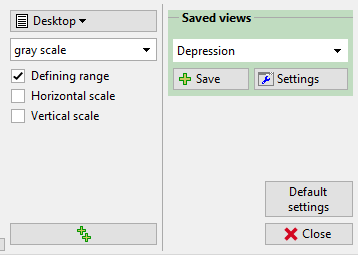 "Saved views" - control elements
The following control units are available to manage views:
| Select view |
|
| Store current view |
|
| Open view manager |
|


