On-line contextual Help

/

Slope Stability 

GEO5

Geotechnical software

« Back to Help

Anchors

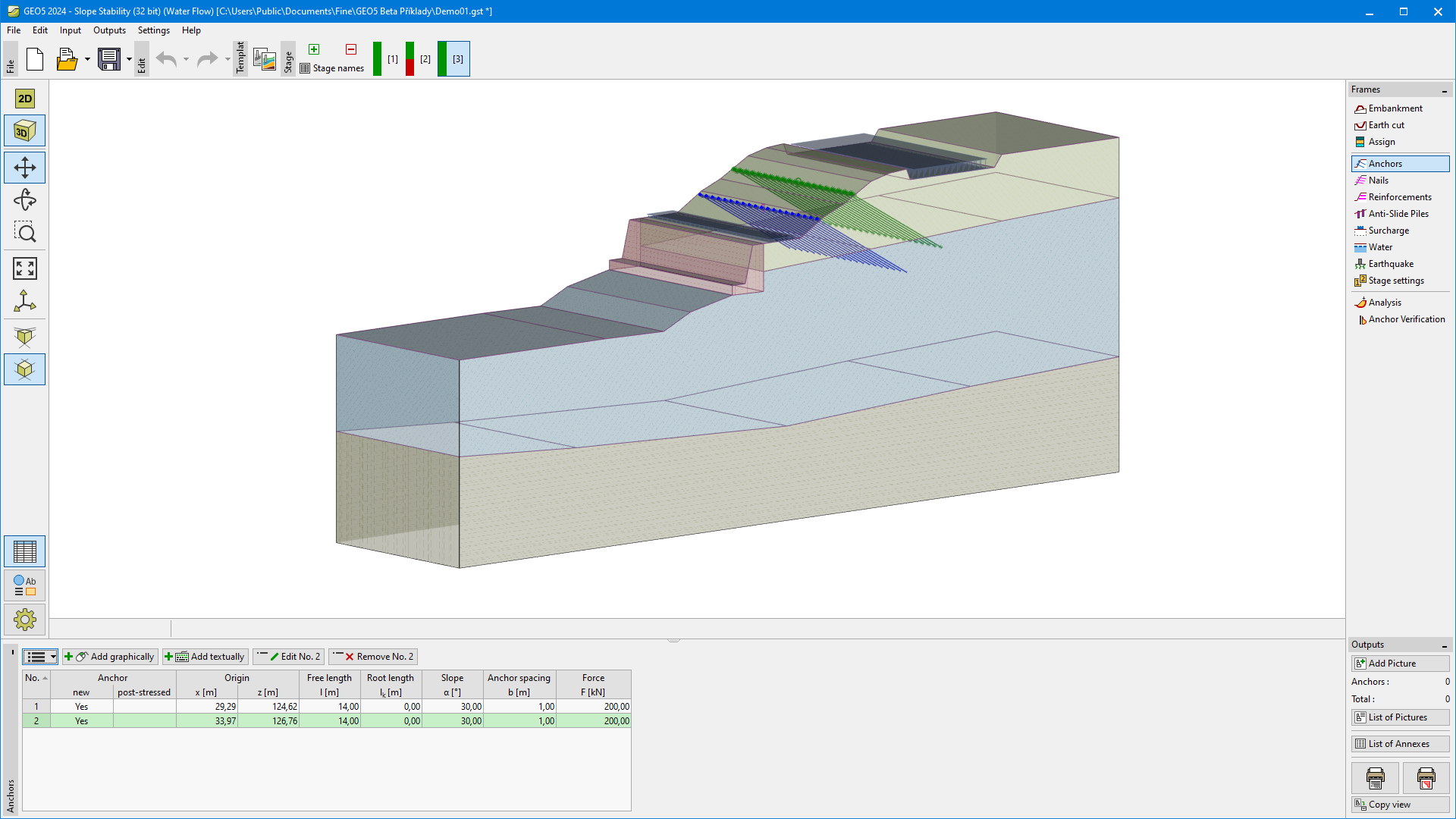
The "Anchors" frame contains a table with a list of inputted anchors. Adding (editing) anchors is performed in the "New anchor (Modify anchor parameters)" dialog window. The inputted anchors can be edited on the desktop with the help of active objects.

You are asked to input the anchor location (starting point), its length and inclination, anchor spacing and pre-stress force. The anchor starting point is always attached to the terrain. All inputted parameters can be modified in the stage of construction, in which the anchor was introduced. In subsequent stages the program allows only for modifying the anchor pre-stress force (option "Anchor post-stressing").

Anchors can also be introduced with help of a mouse click. Mouse input mode is determined by pressing buttons on the horizontal bar "Anchor". The following modes are available:

  • Add
clicking the left mouse button allows for specifying the starting and end point of an anchor. The grid function can be exploited in the input mode. The starting point is always "attached" to the terrain. The coordinates of inputted points are automatically round up to two digits – both input modes (manual, mouse) are therefore identical
  • Modify
clicking the left mouse button on already existing anchor opens the "Modify anchor property" dialog window, where the selected anchor can be modified
  • Remove
clicking the left mouse button on an anchor opens the dialog window to confirm the reinforcement removal – confirming this action then removes the anchor

Effect of anchors on the analysis is described in more detail in the theoretical part of the hint.

Note: The program does not check the anchor bearing capacity against breakage.

Frame "Anchors"Frame "Anchors"


Language: english