


Input Interface Corrector
When the inputting or editing process is completed, the program automatically modifies the input interface in order to comply with the software requirements, i.e. the end points touch the world edges or other interfaces. The automatic corrector can be further used to simplify the input process - for example, if only one point is used to specify an interface, the program automatically creates a horizontal interface containing the defined point.
If two interfaces collide, the corrector creates new end points of the current interface. These points then also become the points of the interface being touched. All lines of individual interfaces thus start and end in a point.
In case of an incorrect input (see the picture below), the interface cannot be stored. In this case, the interface must be modified, or the inputting process must be stopped using the "Cancel" button.
Here are some examples of interface corrector functions (correct and incorrect input):
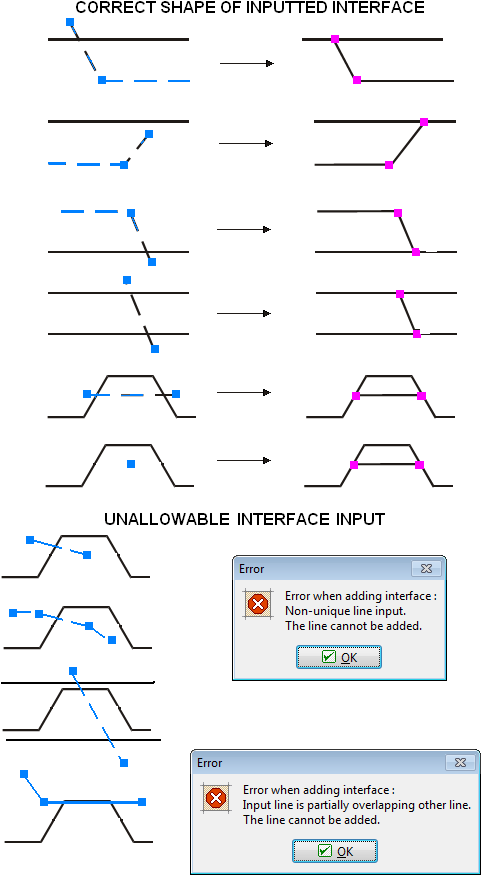 Correct and incorrect interface shapes