


Reinforcements
The "Reinforcements" frame contains a table with a list of input reinforcements. Adding reinforcement is performed in the "New reinforcement" dialog window. The input reinforcements can be edited on the desktop with the help of active objects.
The dialog window serves to input the location of the reinforcement, anchorage length (from both left and right end), the tensile strength of reinforcement Rt and end of reinforcement (fixed or free). For the calculation of bearing capacity, one of three options in a combo list is selected: "Calculate bearing capacity" (coefficient of interaction C is defined), "Input anchorage length" lk, or "Input bearing capacity" (Pull out resistance Tp is defined). All input parameters can be modified only in the stage of construction, in which the reinforcement was introduced. In subsequent stages, the geo-reinforcement can only be removed.
The influence of reinforcements in the analysis is described in more detail in the theoretical part of the help.
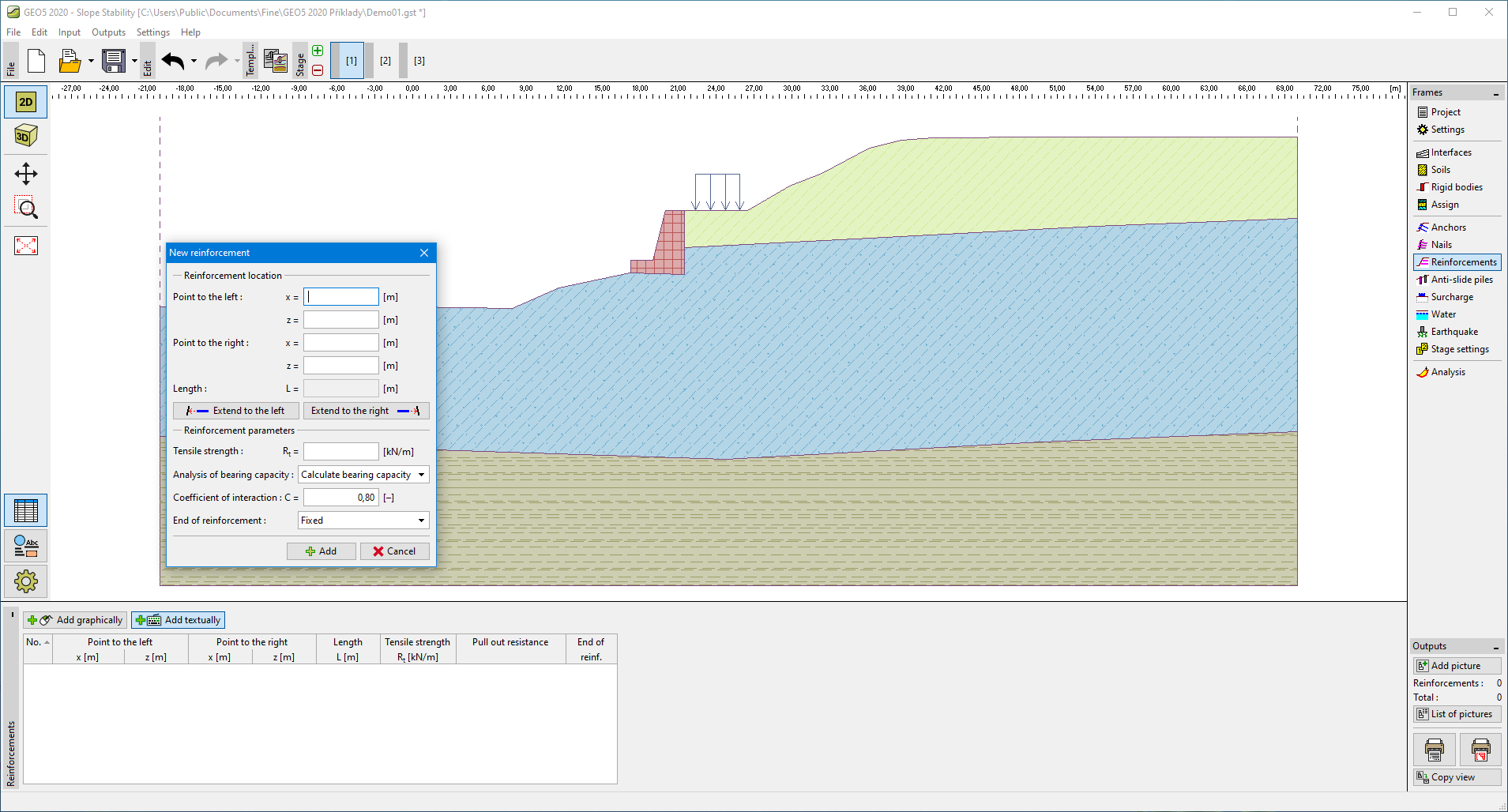 "Reinforcements" frame