


Options
"Options" dialog window allows us to set some of the program's special functions (Input, Copy to clipboard, print view, etc.).
The "Options" dialog window is opened from the control menu (items "Settings", "Options").
The window contains individual tabs (number and content may vary depending on the program), which allows specifying corresponding settings.
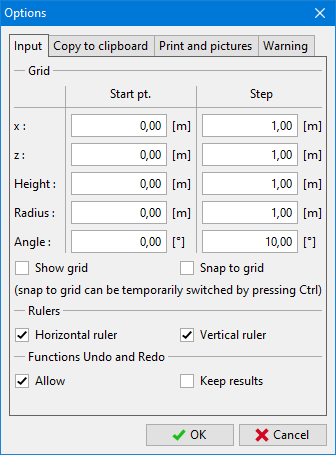 "Options" dialog window