


Editing and Removing Interface
Editing Interface
An interface is selected in the table or on the desktop by pressing the left mouse button.
By double-clicking the mouse button on the interface, or by pressing the  button, the interface editing mode is turned on. The interface being edited is highlighted in blue, and it is possible to change its shape.
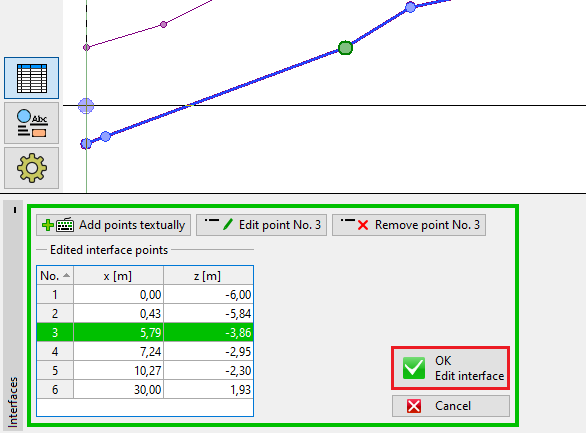 Editing Interface
Input is terminated by pressing the  button (adds the input interface onto the interface list), or by pressing the
  button (changes are discarded).
Deleting Interface
From the table list, or on the desktop, select an interface. Pressing the right mouse button on the interface (table row) opens the context menu. After pressing the "Remove" button, the program highlights the interface and the table row in red. After confirmation by the user, the interface is removed.
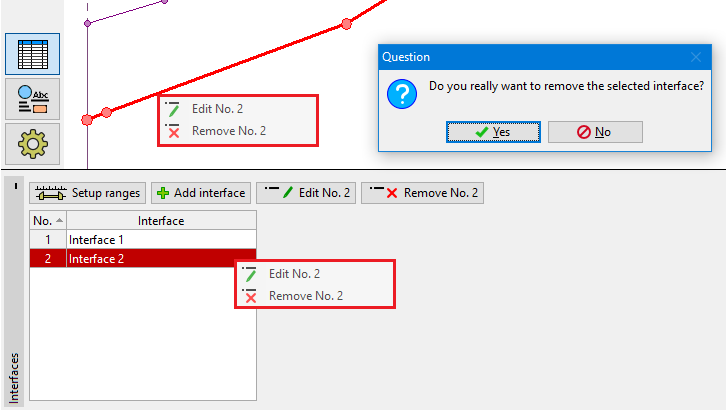 Removing Interface
Alternatively, it is possible to select an interface in a table and press "Remove". The further process is the same as described earlier.
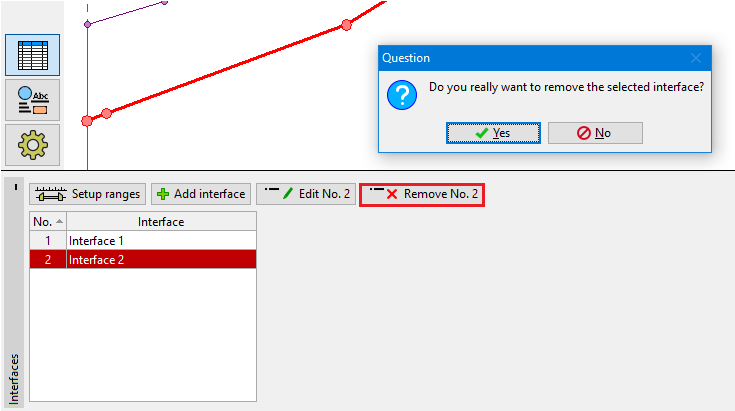 Removing Interface
After editing interface, an automatic interface corrector (the same as after adding interface) sets off, which checks the interface shape, and corrects the end points if required.