


Drawing Settings : Analysis
The "Drawing settings: Analysis" dialog window serves to select the type of variable to be displayed and the way it should appear on the screen. Individual settings can be later saved using the "Saved views" toolbar.
The tab "Values in grid" serves to set the basic parameters driving the visualization of surface variables and FE mesh - other tabs are used to define other types of outputs.
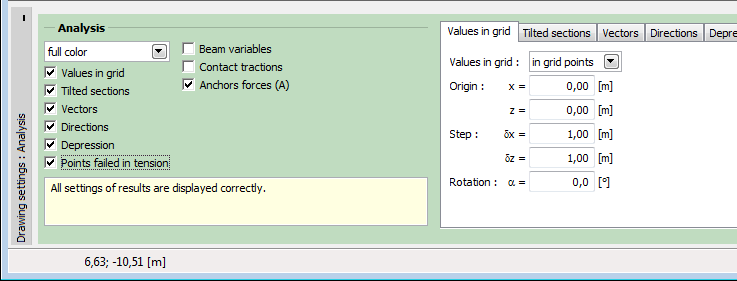 Frame "Drawing settings: Analysis" - tab "Values in grid"
Owing to the clarity of graphical presentation it is not possible to plot some of the results at the same time. It is not possible to plot a deformed mesh together with distributions of internal forces along beams - only one option must be selected. If an unacceptable combination is selected, the displays a warning message in the bottom part of the dialog window. The present example shows an unacceptable combination of deformed mesh/values in a mesh grid set on the toolbar "Results".
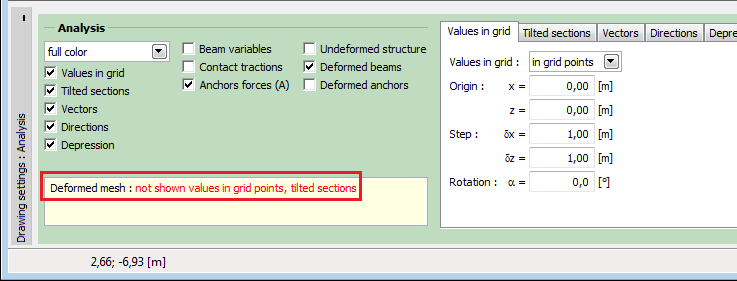 Warning for conflict in the plotting of results