


Drawing Settings : Analysis
The "Drawing Settings : Analysis" frame provides tools for a clear way of displaying the results both on the screen and in the printed document:
- Parameters to draw depression line and influence zone
- Setting surface views and color scale drawing
- Setting and drawing tilted sections
The programs based on the finite element method further allows setting:
- Parameters to draw the finite element mesh
- Parameters to draw construction - deformed/undeformed (note that undeformed option must be selected when displaying beam internal forces)
- Distribution of internal forces on interfaces and beam elements
All information specified in this frame (including the setting of the current magnification) can be stored using the "Saved Views" bar.
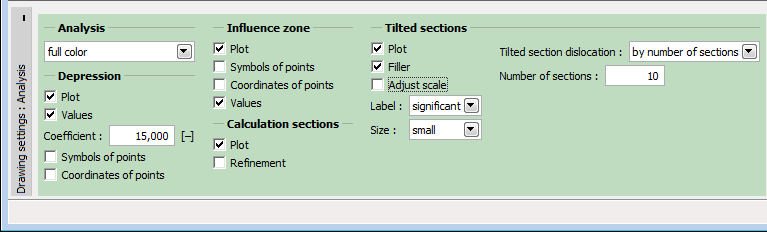 "Visualization Settings" Frame