


Foundation
The "Foundation" frame allows us to select a type of foundation. The selected type with a graphic hint of input values is displayed in the left part of the frame. The values can be edited either in the frame by inserting values into input fields, or on the desktop with the help of active dimensions.
The following types of foundations can be selected:
- Centric spread footing
- Eccentric spread footing
- Strip footing
- Stepped centric spread footing
- Stepped eccentric spread footing
- Three-steps centric spread footing
- Circular spread footing
- Circular stepped spread
- Centric spread footing with batter
- Eccentric spread footing with batter
- Centric spread footing with circular step
The soil profile is specified from the original ground. The foundation bearing capacity depends mainly on the depth of foundation measured from the finished grade. When the finished grade is found above the original ground, then it is required to assign the same depth to both, the finished grade and original ground, and introduce into subsoil a layer with a new made-up-ground. This frame also allows for inputting the foundation thickness.
The overburden type is chosen from the following options:
- input unit weight - the overburden unit weight γ1 is specified
- from geological profile - the overburden unit weight is calculated from the soils assigned in the geological profile
- input shape and soil of the fill - this option allows us to model the overburden shape from the bottom or upperedge of footing. The overburden unit weight is determined from the assigned soil.
Providing the analysis follows the theory of limit states its weight is multiplied by the coefficient γmγ input in the "Spread Footing" tab.
For foundations with drained subsoil (type of analysis is selected in the frame "Settings") it is possible to introduce an inclination of the finished grade and footing bottom. In all other cases both the ground and footing bottom are horizontal.
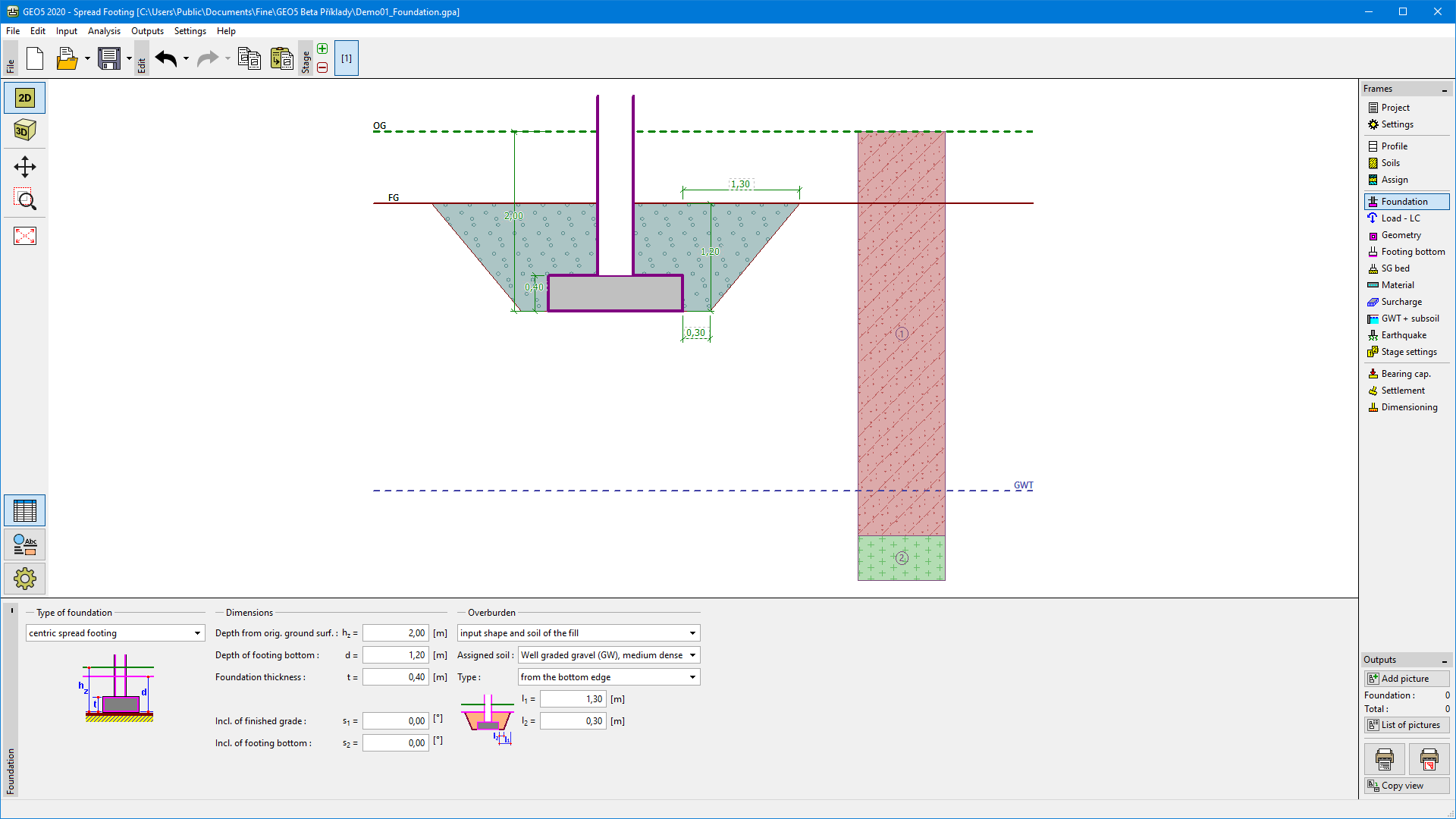 Frame "Foundation"